Posts

Showing posts with the label Print Screen

How to Take Screenshot with Mouse Pointer
Image
In my previous post ( Print a Screen with Mouse Cursor ) I have explained simple way to add mouse pointer in the screenshot. now I am going to explain How to take Screenshot with Mouse Cursor using free tools. Bellow steps will tell you How to take Screenshot with Mouse pointer. Step 1: Download Free Screen Capturer from Extensoft website link  and install it. Step 2: Open Free Screen Capturer by clicking Start Screen Capture  from start menu. Step 3: Open the Window/Application you you want to capture (take Screenshot) it. Step 4: Now Press the "PrtScr" (print screen) button on your keyboard then it will open the Screen Capturer window and it will ask you whether you want to capture the full screen, an application window or a region of your screen. If you want to  record your screen then click animation option under capture mode. and it will captures sequences of screenshots as animated video as WMV (Window Media Video) format. ...

Print a Screen with Mouse Cursor - How to Print Screen with Mouse Pointer

Image
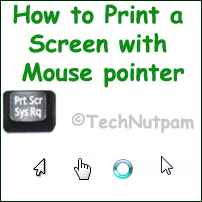
We are always using the print screen button in keyboard to print the screen i.e. window. Sometimes we may want to print the screen with mouse cursor also. That time it is not possible in  Windows 7  to print screen with mouse pointer [cursor]. I am not sure about windows vista or windows XP or other earlier version of windows. There are two solutions available to print the screen with mouse pointer. Option 1: The first option is simple to use. Use normal print screen option to print the screen and add the mouse cursors using image editing tools like paint Photoshop etc. If you want the Mouse cursor images just take it from the internet sources. If you type Mouse cursor in Google Images you can get all the icons immediately. Save the Mouse cursor icons in your computer. Now go to any image editing tools like Photoshop or Microsoft Paint or Gimp or others. Just Paste the mouse cursors in any place of your already captured Screen image. Option 2: In this solution you will do...